


Chat with your Agent in real time and watch it work 鈥� drawing on your project data, drafting, and assembling the result as you go. What used to take an afternoon takes a conversation, and you see every step, so you can trust it.












This is work reimagined 鈥� humans and AI in constant partnership, amplifying each other on everything from a quick question to a complex deliverable. You stay in control while your Agent multiplies your output.
AI that understands the work that runs a project 鈥� RFIs, cost reports, payments, programs and registers. Agent knows how the pieces fit together, so you can hand it real construction tasks, not just simple questions.
This is an AI Agent built for your world, not a general-purpose chatbot.
Discover Agent >
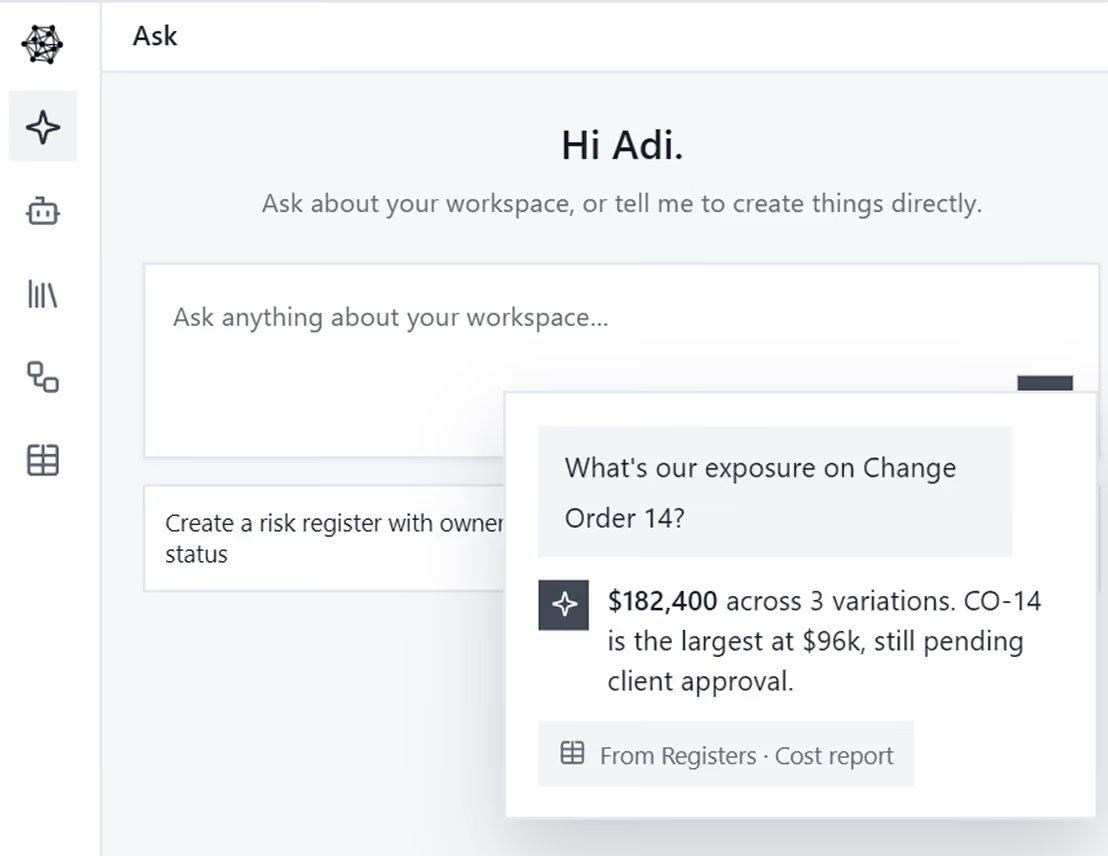
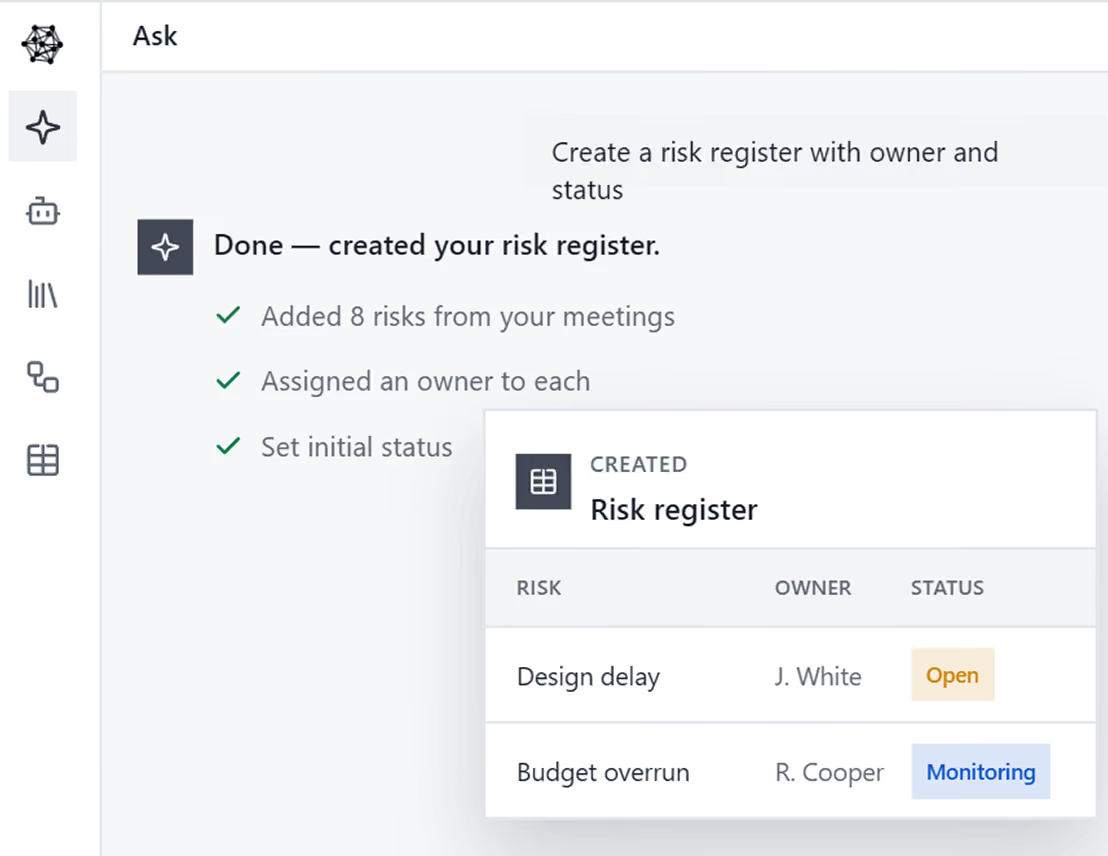
Ask is connected to your live project data, so it can actually act 鈥� not just advise. Let AI create projects, update data, build registers and draft documents on command. Real access, real actions, real work done.
Connects to the tools you already use, including Outlook, Teams, SharePoint, Xero and Procore, while keeping your data private.
Meet your Agent >
Everything produced is grounded in how your company works. Agent drafts in your templates, follows your procedures, and applies your branding, so the output comes back ready to use.
No reformatting, no re-explaining 鈥� AI聽that already knows your way of doing things.
Draft your templates >
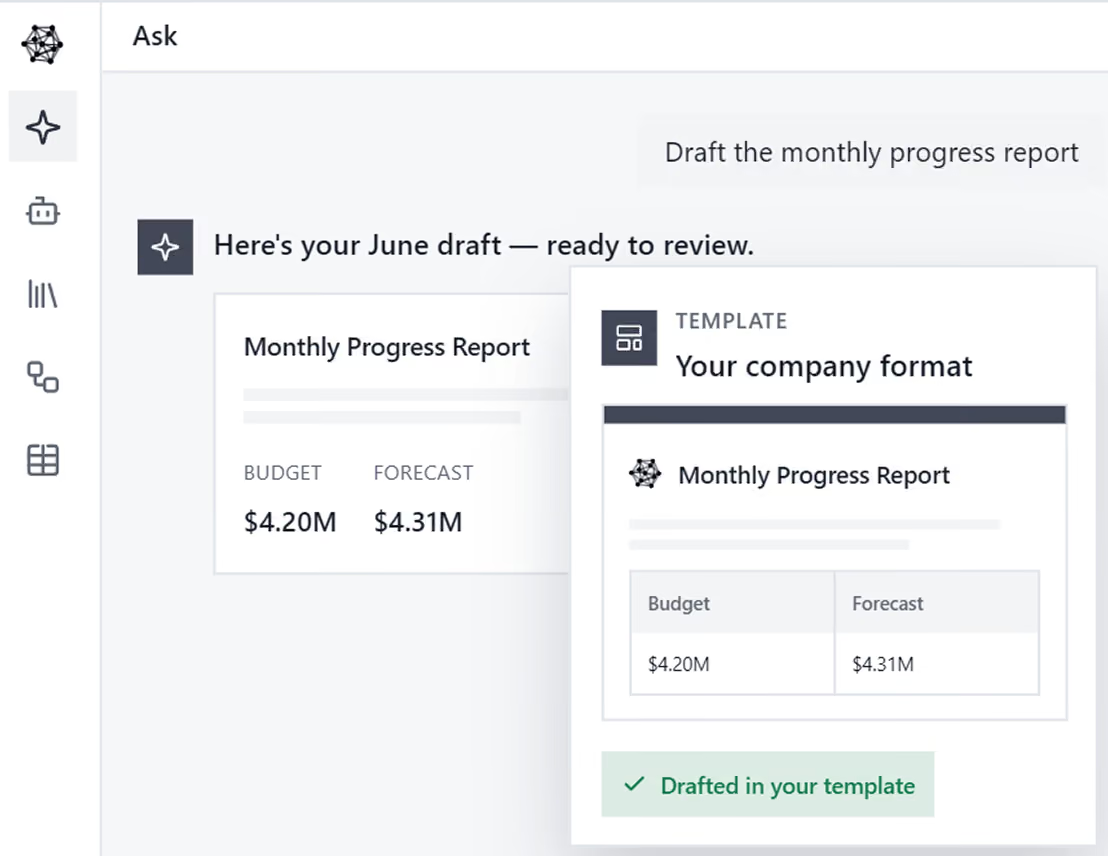
Chat with your Agent and watch hours of effort collapse into a few minutes 鈥� every step in view.
Book a Demo.avif)
See what project managers and construction executives are saying about AI transformation.

鈥� School District Program Manager
鈥� Hospital Project Manager
鈥� Construction Executive
Construction teams using AI are already seeing dramatic improvements


We understand that accuracy isn't optional in construction. Our AI is designed with the verification and control you need.

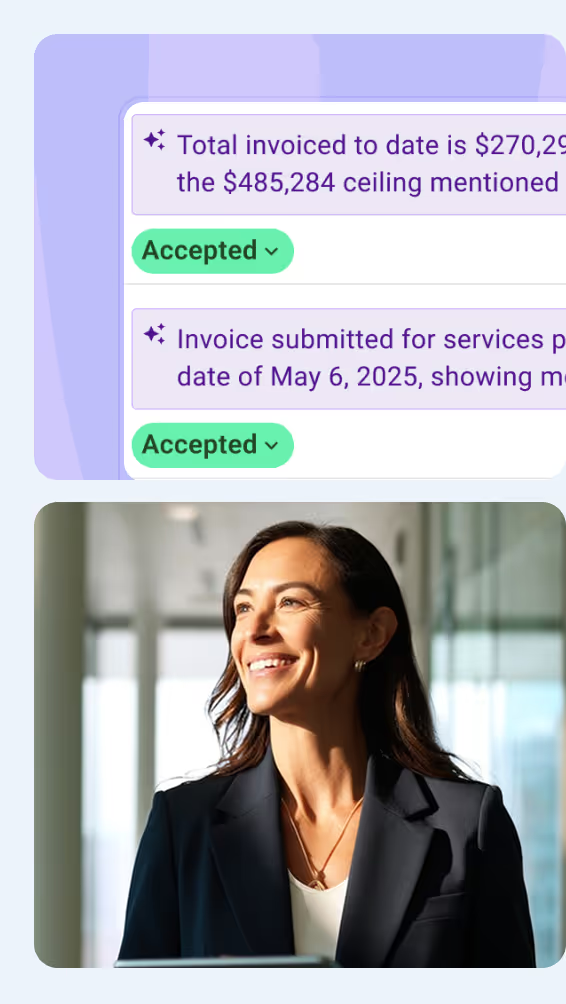
No more questioning if the AI made it up. Compare every extraction to exactly where it came from in the source document.

Nothing reaches your clients without your approval. You control what gets saved and prevent embarrassing mistakes.

Clear confidence indicators show what needs your attention. You'll know exactly when something requires verification.

Ask is where you work with your Agent in real time. You type what you need in plain English and watch it work on your live project as you go, seeing every step. To hand work off instead, the Agent runs it on its own in the background.
Yes. Upload your contracts, drawings and reports, and Ask searches across them by meaning, not just keywords, including scanned PDFs. Ask it what a clause says or where a number came from, and it answers with the exact source. Your files become part of your company Knowledge.
Ask is built for construction project management, not general use. It understands industry terms like RFIs, cost reports, payments, programs, variations (change orders) and registers, and how they fit together, so you can hand it project tasks, not just simple questions. You get answers in the language of your projects.
Ask answers from your own project data, not the open internet, and links each answer back to its source, whether a meeting, a document or a register entry. You watch it work step by step, so you can check the reasoning and confirm every answer before you rely on it.
Ask connects to the tools and software your team already uses, including Outlook, Teams, SharePoint, Xero and Procore. Once connected, it can pull in what it needs and act across them from the chat, so information is not stranded in a separate system and you work in one place.
Yes. Connections use secure, encrypted access, and your data stays inside your 91爆料 workspace, encrypted and never used to train AI models. Ask only reaches the tools and projects you have permission for, so connecting your stack does not expose it. Read our data privacy and cyber security pages for more details.
Ask runs on the same frontier models as ChatGPT, Claude and Gemini, so the intelligence matches. The difference is that Ask is built for construction project management and works inside your live projects, acting on your data and citing its source for every answer, not just advising. See how 91爆料 compares with Claude, or book a demo to see it in action.
Join forward-thinking construction teams already transforming their projects with artificial intelligence.

At 91爆料, we鈥檙e building the world鈥檚 first Agentic AI for construction project teams
Used by project leaders building the future around the globe