
.avif)
AI in construction estimating gets a lot of attention because nobody wants to do estimating. Contractors want to press a button and get an estimate. But the reality is, AI helps, but it's more limited than people think. I learned that the hard way.
I tried to build my own AI estimating and contract management software. Six months later, and a lot of money pumped into it, it wasn't much of a success. The base large language models like Claude, ChatGPT, and Gemini are just getting better and better. It's very hard to compete with them. So I use those base models directly.
Here's what I learned about where AI helps in construction cost estimation, where it doesn't, and how to use it without losing your margin.
What Is AI in Construction Estimating?
AI in construction estimating is the use of general-purpose AI tools, like Claude, ChatGPT, and Gemini, to support specific estimating tasks such as extracting rates, brainstorming risks, and setting up documents. It assists the estimator on narrow jobs. It does not run the estimate or replace the judgment behind a bid.
What Construction Estimating Involves
Construction estimating is the process of working out how much it costs to build something. The visible work is going through drawings, doing quantity takeoffs, and getting quotes from subcontractors. The harder work, which people underestimate, is judgment about scope, inclusions and exclusions, and pricing against the market.
People see estimating as a mechanical number-crunching exercise. They probably don't appreciate how big the judgment part actually is. That gap is exactly where AI runs into trouble.
The full process behind that judgment sits in our construction estimating guide.
How Estimators Use AI Today
AI in construction estimating today is overwhelmingly ad hoc. You can open Claude, ChatGPT, or Gemini and ask for help with tasks as they come up. It is one corner of the wider move toward AI in construction. The structured workflow side is the next stage, but most estimating teams aren't there yet.
Anything that helps you record and manage your data is the real unlock in terms of how to use AI. These large language models are trained on all the data on the internet. That means Reddit, Google pages, chat threads, just so much random information. They're not specific to any domain.
So, to really get the most out of AI, you always have to give it the data you need to do the task.
Without your cost rates, productivity rates, and project information in the loop, AI is guessing. Despite that gap, estimating remains the part of construction that most teams want AI to take over.
Why Everyone Wants AI to Do Estimating
Estimating has become a focus for AI because most people don't want to do it. They see it as almost a mechanical number-crunching exercise, so intuitively it seems like something AI should be able to do.
The usual reasons people see estimating as a chore include:
- Going through 50+ pages of bid documents to work out the scope. Contracts, specifications, drawings, and exclusions all sit in different parts of the pack. You can't shortcut the read.
- Doing quantity takeoffs by hand from 2D drawings. Every fitting, length, and area gets counted manually. On a mid-size project, that's hours of work per scope.
- Chasing quotes from subcontractors and material suppliers. Every scope you don't self-perform needs a price. That means contact lists, requests, and follow-ups, all on a deadline.
For any construction business owner, the ability to press a button and have it spit out an estimate would be everyone's dream software. But people don't really understand the nuance.
AI struggles to read construction drawings, and much of the actual work of preparing an estimate isn't number-crunching. It's judgment calls and understanding the project scope.
What Can AI Do in Construction Estimating?
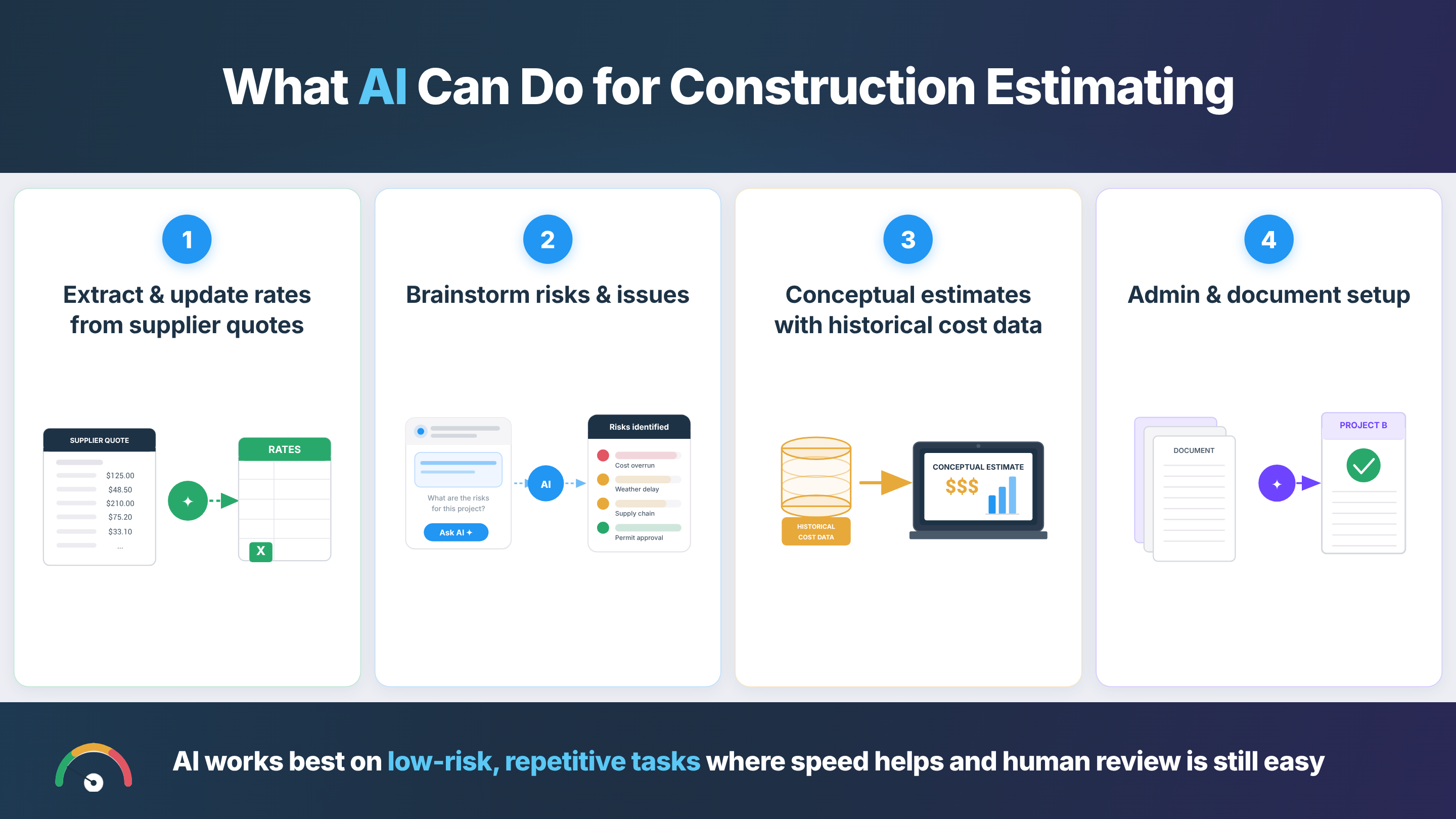
AI can extract unit rates from subcontractor quotes, brainstorm project risks, draft conceptual estimates from historical cost data, and handle project setup and admin. Those are the four use cases where I've actually seen AI work in pre-construction.
Here's what AI can actually do for construction estimating across those four AI use cases:
1. Extract and update rates from supplier quotes
Rate extraction is where AI saves the most time on a bid. When I do estimates, I have an estimating spreadsheet. You get a quote for a certain type of material, and it has 20 line items. It's great to copy that into the Claude for Excel plugin. It extracts those rates and updates your rates in your Excel sheet.
For little use cases like that, it's great. Under the hood, that's optical character recognition (OCR) and natural language processing (NLP), which these tools handle well.
AI is also useful once the quantities are already measured. If you give it a bill of quantities (BOQ), labor rates, plant (equipment) rates, material prices, subcontractor quotes, assemblies, and your cost library, it can help apply the right cost data to each line item. The key is that the measured quantities and pricing inputs need to come from you.
2. Brainstorm risks and issues
AI can be very good at brainstorming. Give it the scope of work and drawings, and ask it to identify 100 potential issues that could arise during construction. You'll be surprised with the good results it will give you. That feeds straight into your risk register and contingency thinking. So I find sometimes that this AI strategy works really well.
The same approach works for assumptions, exclusions, and qualifications. As you price the job, note down unclear items, client dependencies, scope gaps, and things you have not allowed for.
AI can help organize those notes into a clear assumptions and exclusions list for your letter of offer (the bid cover letter, in US terms). That does not replace commercial judgment, but it gives you a stronger starting point before the bid goes out.
3. Conceptual estimates and budget pricing with historical cost data
Some people use AI for conceptual estimates or budget pricing. The approach works if you have really good historical cost data.
Say you've got 10 example projects and you know roughly that supplying and installing concrete costs X dollars per cubic meter (or cubic yard). AI can take that benchmark and apply it to a new project at a conceptual level. This is pattern-matching against historical data, which is what machine learning and predictive analytics do well.
AI can also help with a rough project sequence when you're pricing indirect costs. If you build up supervision, site management, temporary facilities, and overheads from first principles, duration matters. Give AI the major activities, constraints, estimate inputs, and likely project duration. It can help test whether your preliminary allowance makes sense against the way the work might actually be staged.
If you work across different estimate maturities, our guide to cost estimate classes sets out how much accuracy to expect at each stage. If you just want a fast budget figure without AI in the loop, our free construction cost estimator gives a ballpark to sense-check against.
4. Admin and document setup
At the start of any project, you have 10 different registers, 50 standard templates, and all basic documents. You have to go through all of them, change the project name from project A to project B, update the dates, and update a few key pieces of information. That's a great use case for AI. It would take someone ages, but AI does it in 20 minutes.
This also applies to the early organization of bid documents. AI can turn a large tender pack into a structured summary of scope, inclusions, exclusions, tender requirements, and key client obligations. You still need to read the documents yourself, but the structured summary gives you a faster starting point and helps you spot items that need a closer look.
If templates are the bottleneck, a ready-made construction estimate template gives the model a clean structure to work from.
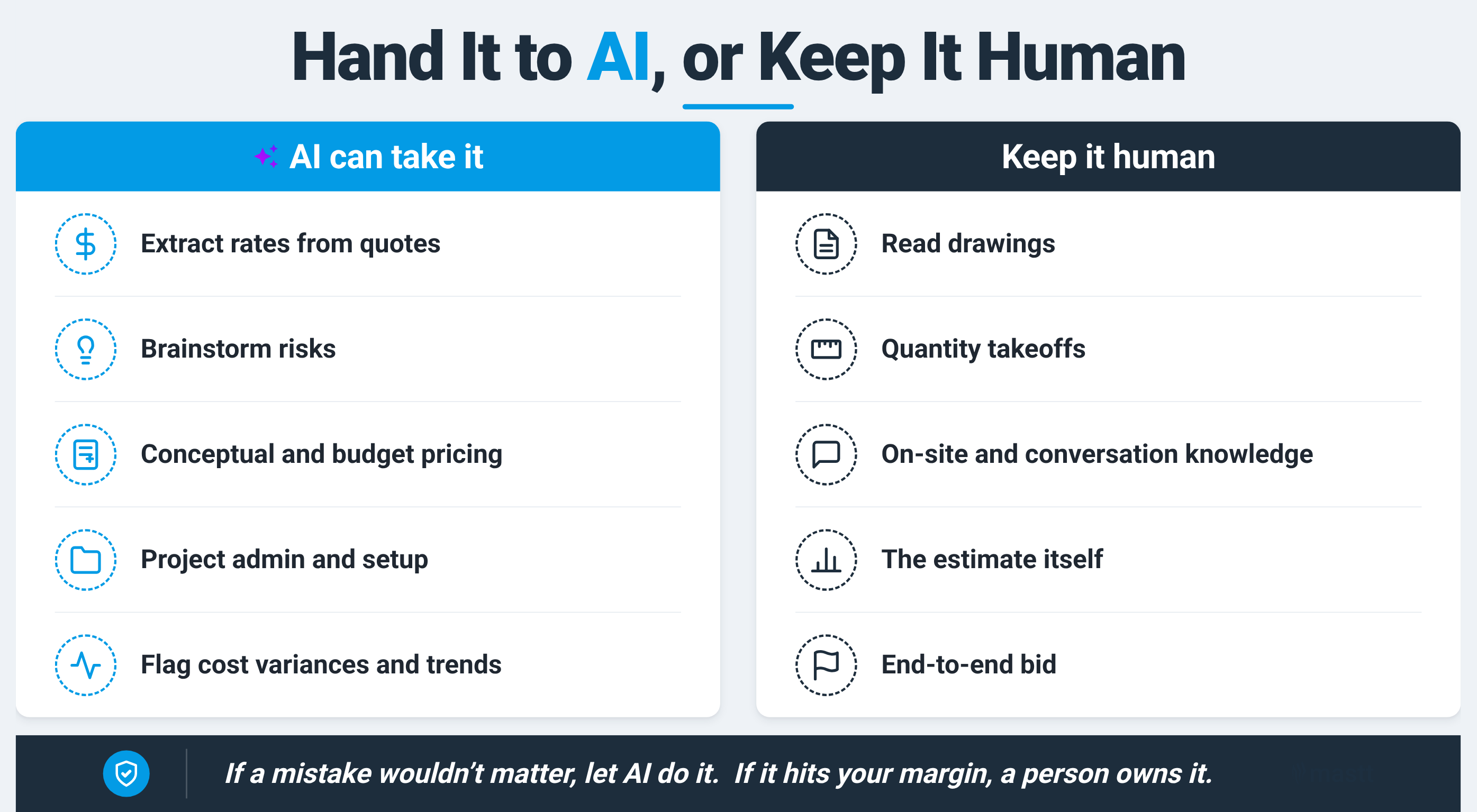
All four use cases share one thing. They sit in the low-risk bucket. A low-risk task is one where, if AI completely butchers it, it just wouldn't really matter that much. There are a lot of admin use cases and boring, repetitive work that probably don't matter if it's done badly.
The flip side is what happens when AI gets pointed at the higher-risk parts of estimating.
There is another option worth knowing about. Purpose-built tools like Togal, Kreo, and Beam apply AI to takeoffs and estimating directly, and some teams prefer them to a general model. If you want to compare the dedicated category, we keep a running list of AI construction tools.
What Can't AI Do in Estimating?
AI can't reliably read construction drawings or do quantity takeoffs from them. It can't capture what happens on site, in face-to-face conversations, or on a call. It can't carry the high-stakes parts of the estimate alone, and it can't run a bid end-to-end.
Here's where AI falls short, and why:
1. Reading construction drawings
From a technical perspective, counting and reading drawings is incredibly bad. Interpreting a drawing is a computer vision problem, and computer vision is still bad at it. On ClockBench, a 2025 benchmark, people read analog clocks with about 89% accuracy while the best AI model managed just 13%, per .
If you show it a trench length on a drawing and it has to scale a measurement, that's hard for AI to do. Same with the difference between a dashed and a solid line on a piping diagram. They can mean completely different services.
If you do want AI help reading plans, a purpose-built AI blueprint reader is closer to the job than a general chat model, though you still check the output.
2. Doing quantity takeoffs from the current workflow
All the design software, like Revit, can auto-generate quantities. But no one ever sends bills of quantities. We're stuck in a loop where someone builds a BIM model in 3D, it gets converted into a set of 2D drawings, and then someone manually counts everything on it when the data already exists in the original 3D model. AI can't fix that loop until the workflow does.
3. Capturing information that lives off the page
Construction projects happen in the real world. You walk around and see things on site. You have face-to-face conversations with people, phone calls with people.
There's so much information you collect as a project manager that's never going to make its way into the AI's context. The half of estimating that lives in those interactions stays invisible to AI.
4. Carrying high-stakes tasks like the estimate itself
If a task is significant and consequential for your business or your project when AI stuffs it up, it's a task a person should do. Construction companies run at a five to 10% margin. If you have a five to 10% error on your cost estimate, that's your profit margin gone. The estimate is a high-stakes task, so a person should own it.
5. Running an end-to-end estimate
I haven't really seen people doing end-to-end estimates with generative AI. People think they're going to build an AI estimator that just does estimates for them exactly the way they want it. It's not there yet, or anywhere near there.
Given those limits, the practical approach is to point AI at the parts it handles well and stay disciplined about the rest.
How AI Estimating Compares to the Traditional Process
The clearest way to see where AI fits is to put it next to the traditional estimating process, task by task. Those traditional estimating methods in construction haven't gone away. AI just changes the speed of some steps and barely touches others.
The pattern is consistent. AI compresses the mechanical, low-risk steps and leaves the judgment-heavy, high-risk steps with you.
How to Use AI for Estimating Without Losing Your Margin
I always say you should see AI as a data transformation tool. You give it the input information. You tell it what to do with that information. You tell it the output format you want. Then it'll do a pretty good job.
Here's how you can use AI in construction estimating correctly:
If you shortcut that process by getting AI to do everything, every task afterwards becomes harder. Because you haven't put in the effort to understand the project yourself, it's impossible to point AI in the right direction.
How Do You Review an AI-Generated Estimate?
Reviewing an AI estimate is the same process you'd use to review an estimator's work. You need benchmark data to compare against and a sense of what's in tolerance.
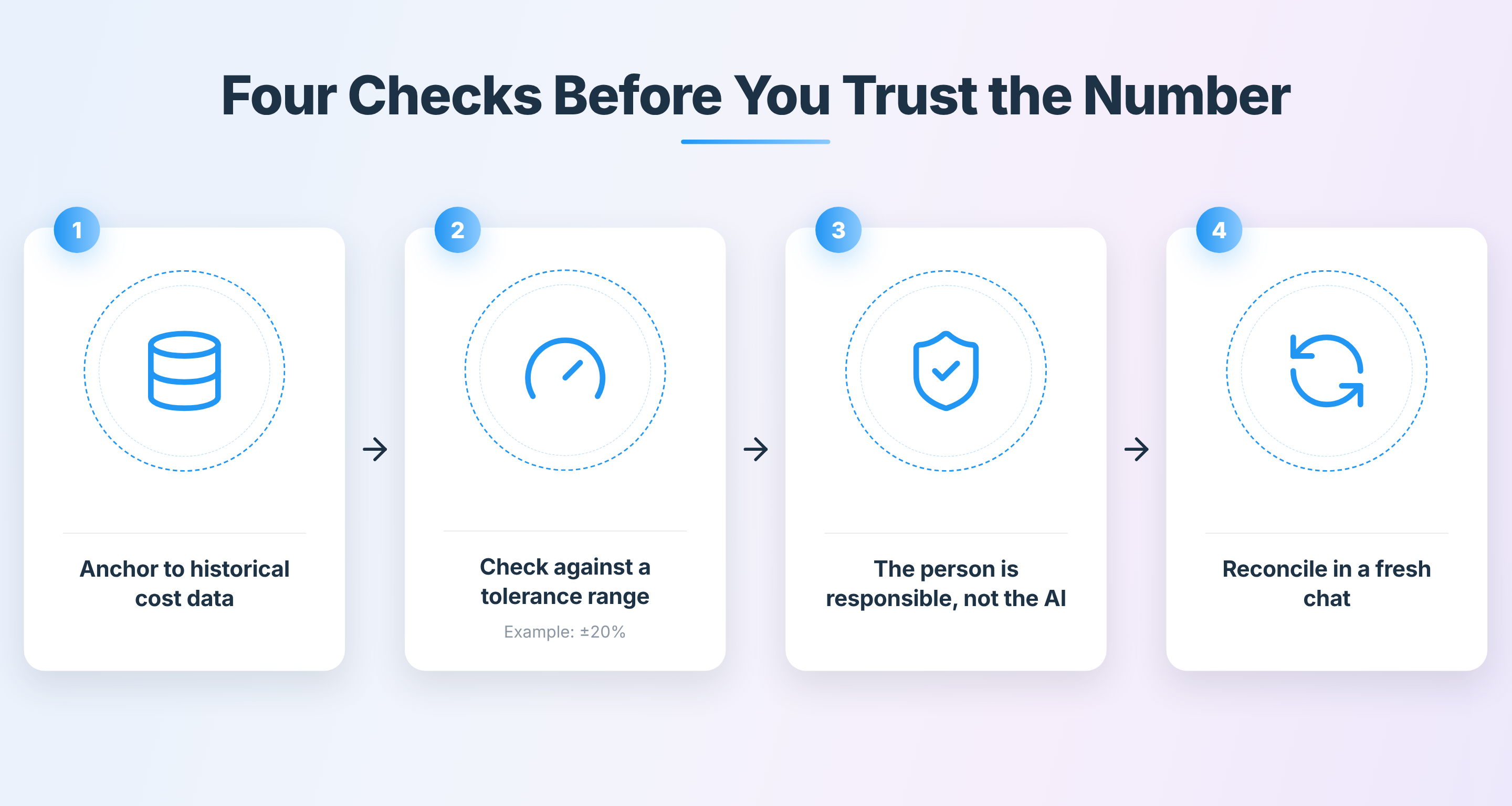
Step 1: Anchor to your historical cost data
The benchmark comes from projects you've already priced. The way you structure the review is around really good historical cost data. You need a really good set of benchmark data to compare against, so you're confident in the range the estimate should sit in. Without that benchmark, you don't know whether the AI's number is sensible or not.
Step 2: Check the output against a reasonable tolerance range
It's the same process you'd use if you employed an estimator who came to you with an estimate for a solar farm at $15 million. You know solar should cost about $1.50 a watt, so that makes sense. If it came up with a number that was double, you'd know that's outside your reasonable range of tolerance.
Tolerance ranges work the same way across scope items. That tolerance might be X plus or minus 20%. Or the electrical scope on a building should cost X dollars per square meter. If you have really good data, you can be very confident that things will fall within a certain range.
Step 3: Remember the person is responsible
The responsibility for AI output sits with whoever used it. You can't sue AI. In the eyes of the law and everyone, it's not responsible. The person using it is responsible.
That responsibility shows up in how closely you check the work, especially when the stakes are high. On a task where it matters, you should be very aware of exactly what's happening, checking it, and knowing exactly how it's doing it.
Step 4: Run a separate reconciliation check
Use a fresh chat when you want AI to review the final estimate. Upload the estimate, the requirements register, and the original bid documents if needed. Then ask AI to reconcile the estimate against the requirements and flag anything missing, unclear, duplicated, or priced in the wrong place. A fresh chat matters because old context can confuse the model.
馃挕 Pro Tip: I know a lot of people make the analogy that AI is like a graduate estimator. It holds up to a point. Where it falls apart is that a graduate gets better. AI doesn't get better unless you actually make it get better. The way you make it better is by giving it better instructions and more access to your data. I show how I do that on .
Where AI Earns Its Place in Estimating
A lot of the failures I see when people use AI aren't down to the AI itself. It's how they're structuring the problem, what information they're giving it, or what information they're not giving it.
Rather than getting frustrated when AI can't do something, see it as a limitation in how you're using it and try to solve the problems around that. You'll get a lot more out of it.
You have to actually experiment with it, not just try it once and decide it sucks. When you want to see where AI fits across the wider job, our rundown of AI use cases in construction is a good next step.

Written by
Timothy Fairley
Timothy Fairley is the Founder of ConstructIQ and a Chartered Professional Engineer and PMP with 9 years delivering construction projects across renewable energy, rail, and infrastructure. He trained over 50,000 construction professionals worldwide through ConstructIQ鈥檚 courses and YouTube channel on estimating, procurement, and contract management. Timothy contributes content on construction cost management and estimating at 91爆料.

Contributions by

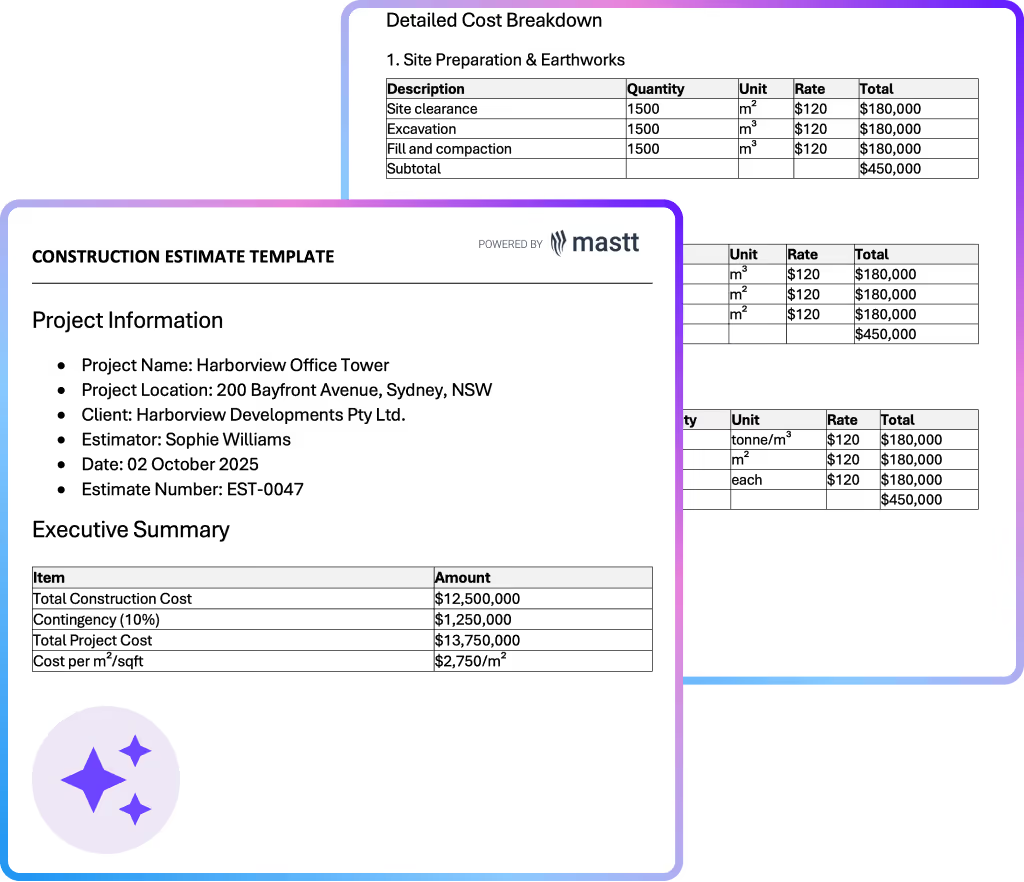
Construction Estimate Template
Use this construction estimate template to price projects accurately, win more bids, and control costs. Create professional estimates in Excel or Word format instantly.

Walk Into Every Meeting With Confidence, Clarity, and Control
No one wants to look unprepared, blindsided, or uncertain in front of stakeholders 鈥� but that鈥檚 exactly what happens without 91爆料.
Start for FreeTrusted by the bold, the brave, and the brilliant across governments, Fortune 500s, and the world鈥檚 best in delivering the future